
Progress and metrics
How do I add and update measurements?
Choose the measurement type, unit, and record date, then check the history.
Add a measurement
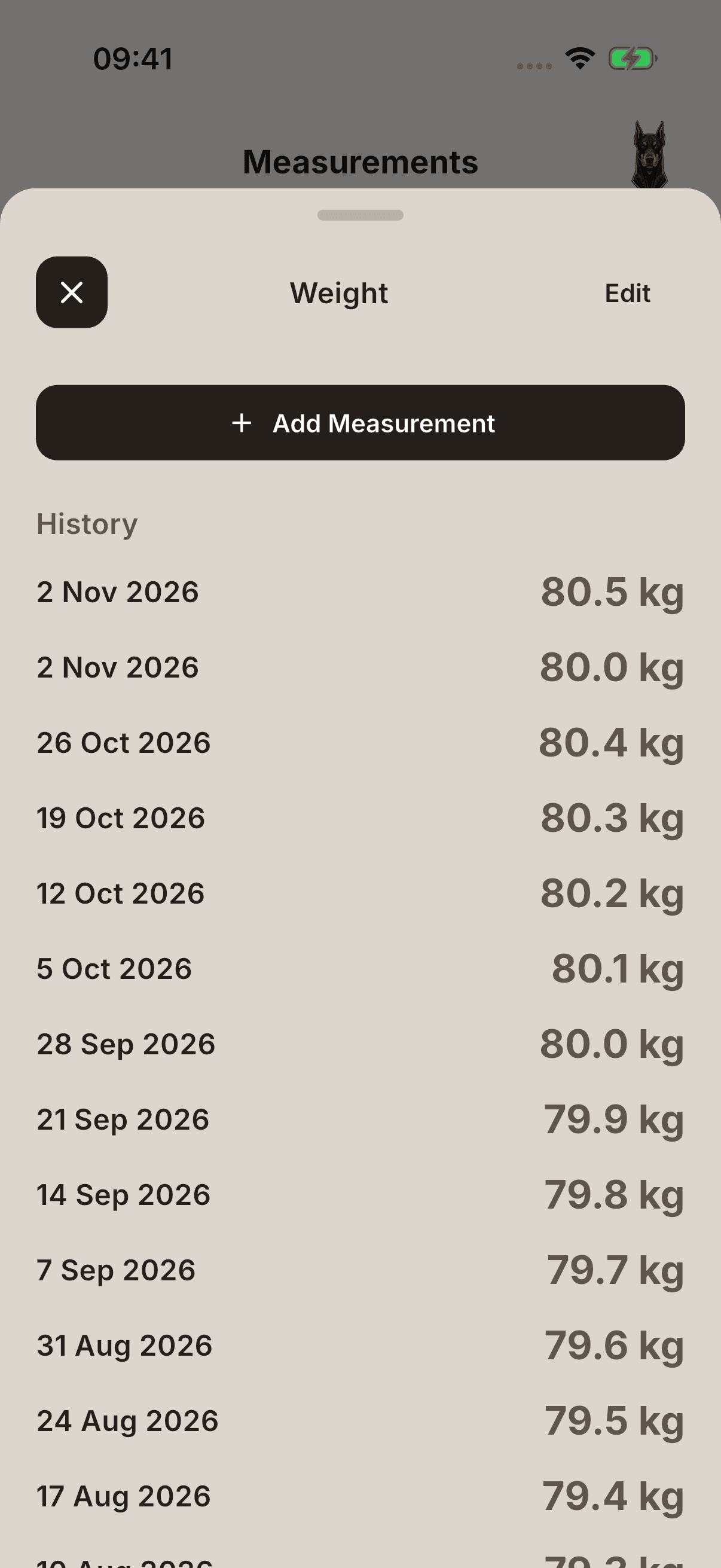
- Open Measurements on the profile. Tapping the body-measurements summary on the profile may also open the measurement screen.
- Tap the relevant measurement, such as Weight, and use Add Measurement on its detail page.
- Enter the value in the unit shown.
- Check the day the measurement belongs to in Date, then tap Save.
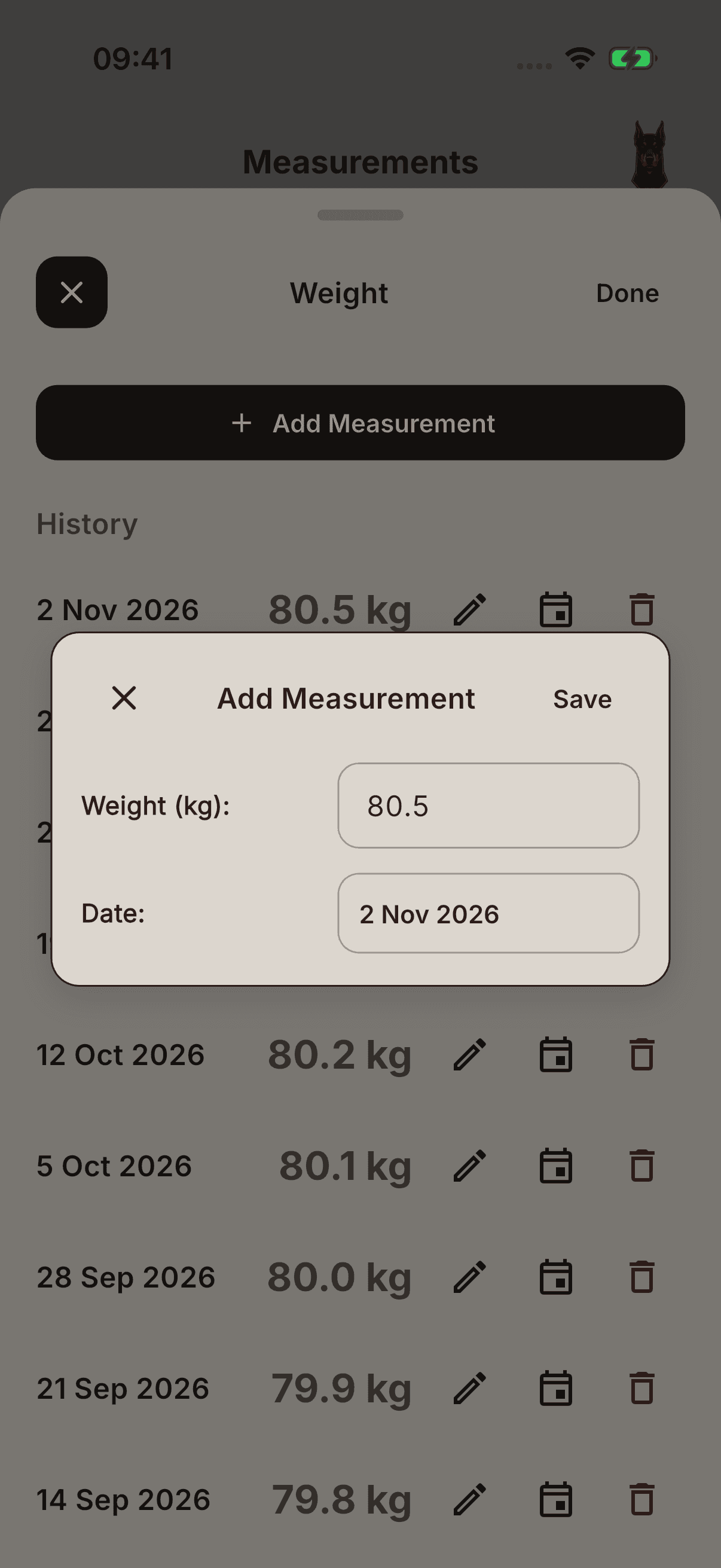
Select Measurement can also be used to choose a measurement type; do not always assume it is a new-record form.
Check the history
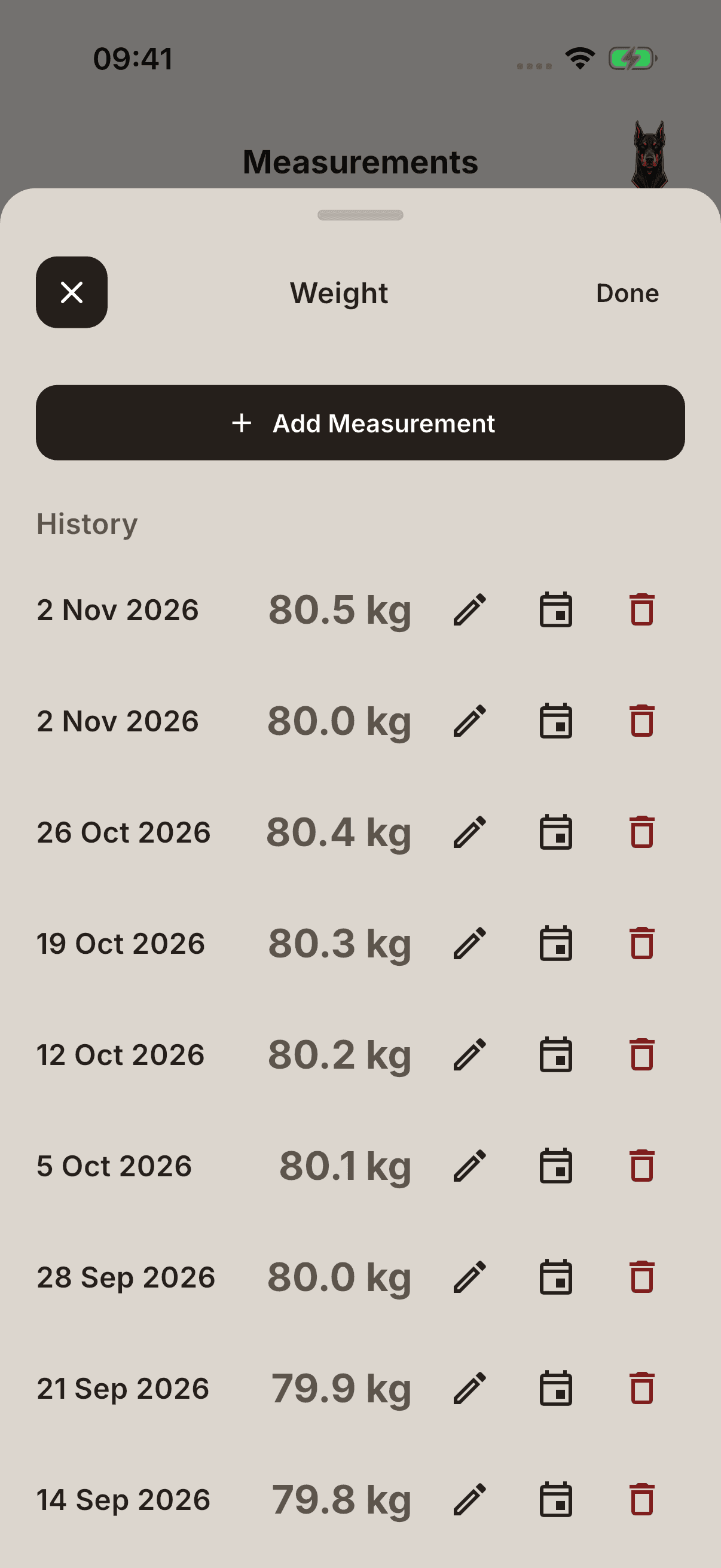
Tap the measurement type and open History in its details. To remove an incorrect record, use the delete control shown through Edit. Check the date and value before deleting; a deleted measurement may affect related trends or profile context.
Some trend and analytics views may require Pro access. A number not being visible is different from having no measurement record at all.