

Workouts
How do I add exercises and sets to a workout?
Use exercise selection, set fields, and the completion checkbox.
Add exercises
- In the active workout, tap Add Exercise.
- Select exercises from the list; use search to find a name.
- Return to the workout with Add.
Exercise selection is also used when preparing a saved workout. Preparing exercises on that screen does not create a completed workout record.
Enter a set
Use + on the exercise card to open a set row. The fields depend on the exercise's measurement type: they may include weight and repetitions, repetitions only, duration, or distance. Do not confuse KG and LB; follow any instructions for entering a single or combined weight. Do not assume every exercise requires the total weight.
Enter the values you actually performed and tick the checkbox on the right of the row. If a difficulty field is shown, fill it in using your selected RIR or RPE scale; leaving it blank does not mean you reached failure.
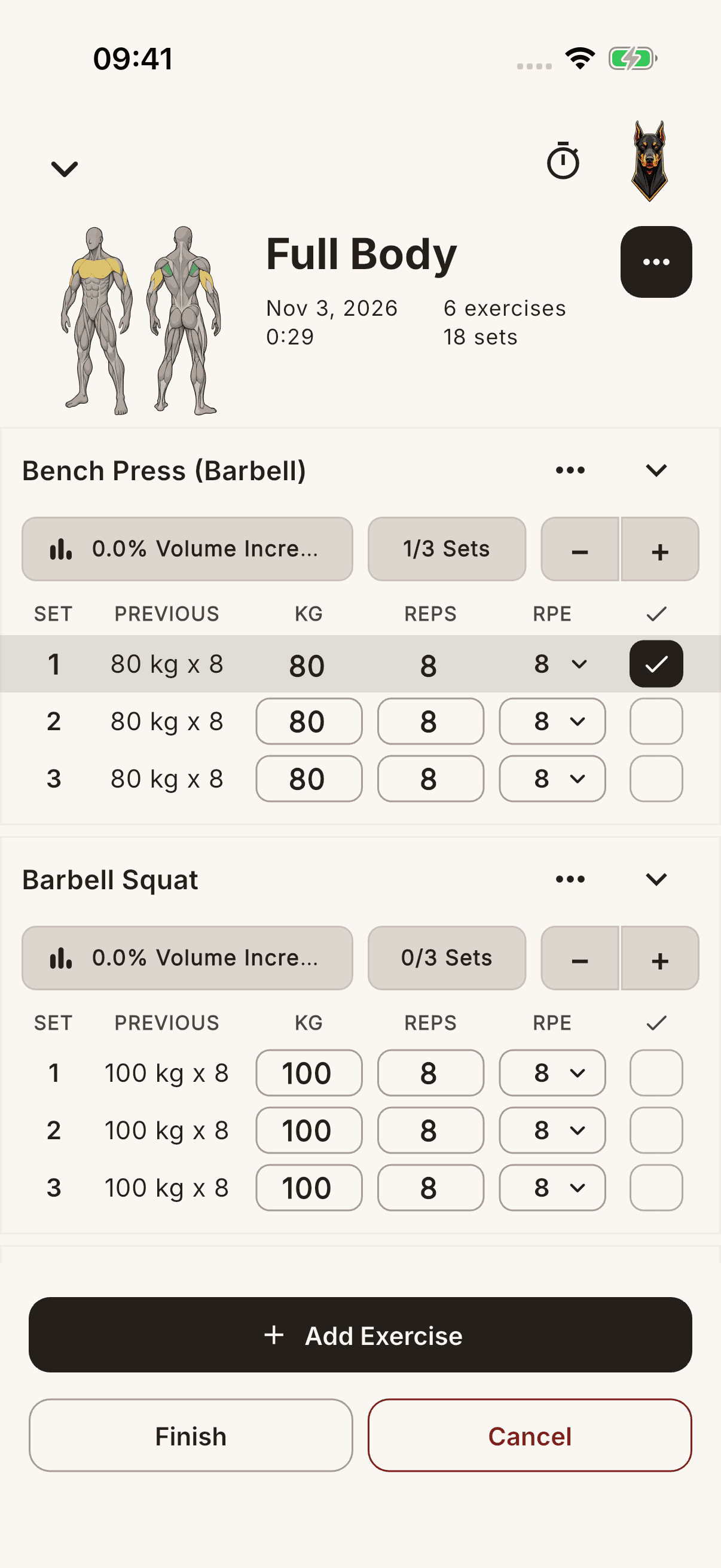
If a rest time is defined for the exercise, completing a set in an active session may start the timer. Do not assume a timer starts automatically for every set.