

Getting started
How do I log my first workout?
Start an empty workout, record your sets, and check the workout in your history.
Start the workout
- Use the + icon in the bottom bar to go to Workout.
- On the Workouts tab, tap Start Empty Workout.
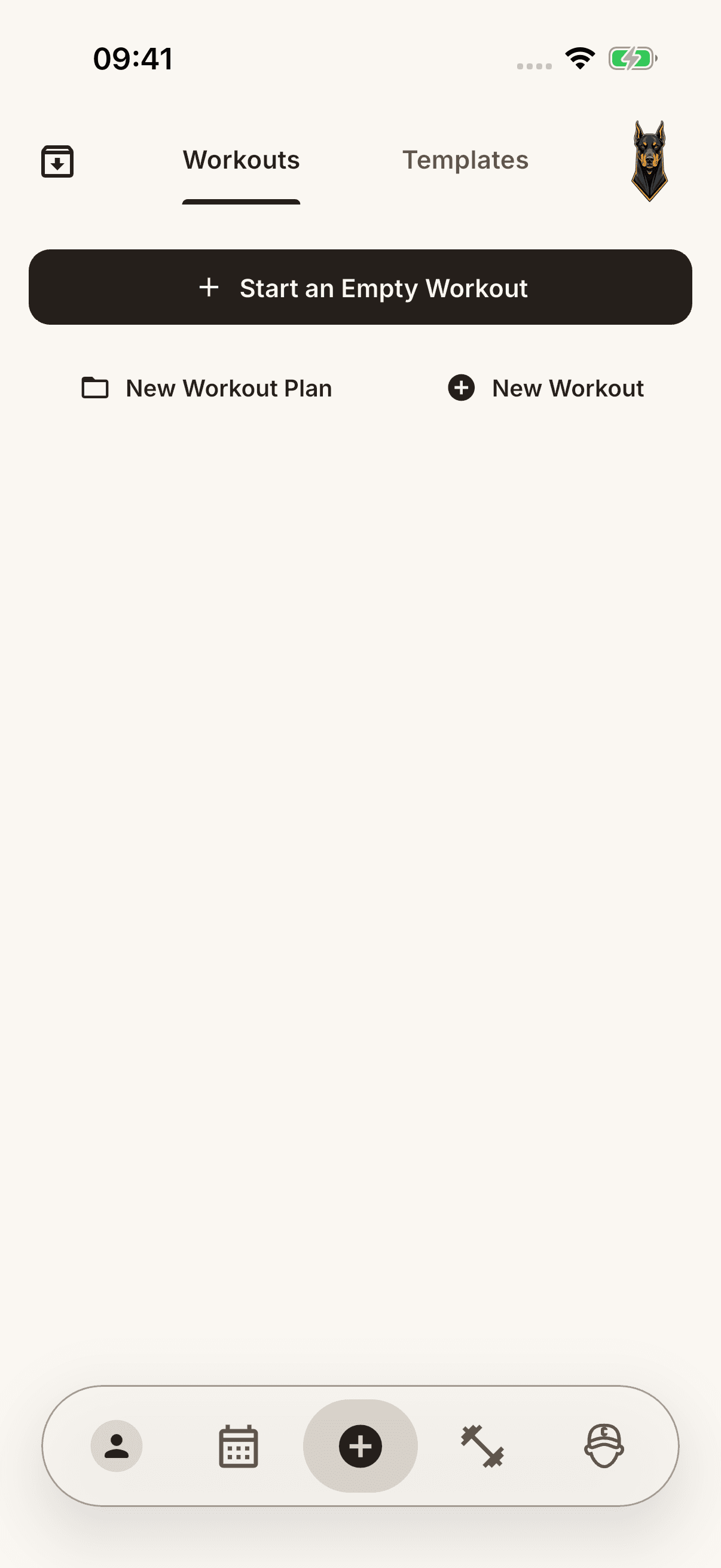
- In the active workout, select your exercises with Add Exercise, then tap Add.
Log your sets
- Use + on the exercise card to add a set.
- Fill in the weight, repetitions, duration, or distance requested by the exercise. Not every exercise uses weight and repetitions; follow the unit and input instructions shown.
- Tick the checkbox on the right of each set you actually performed.
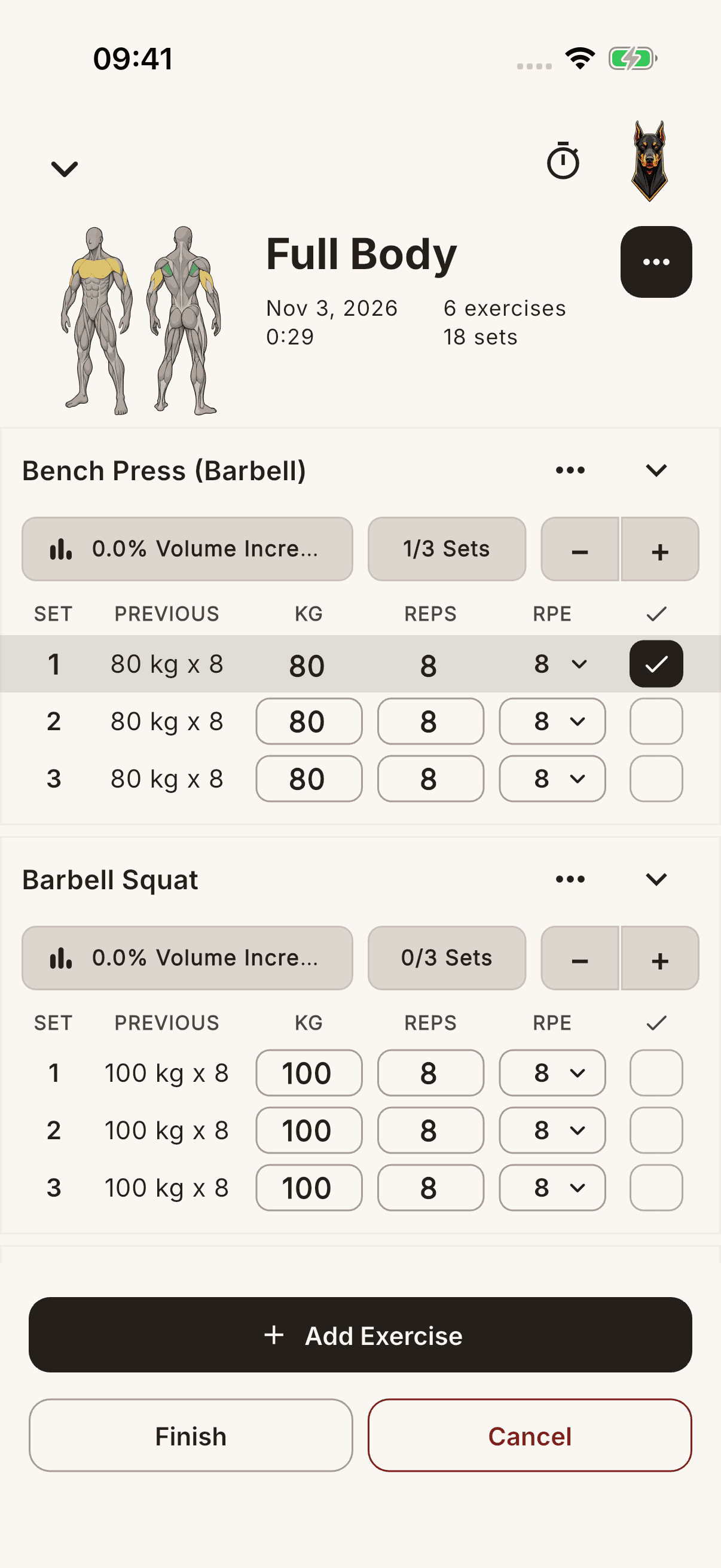
Finish the workout
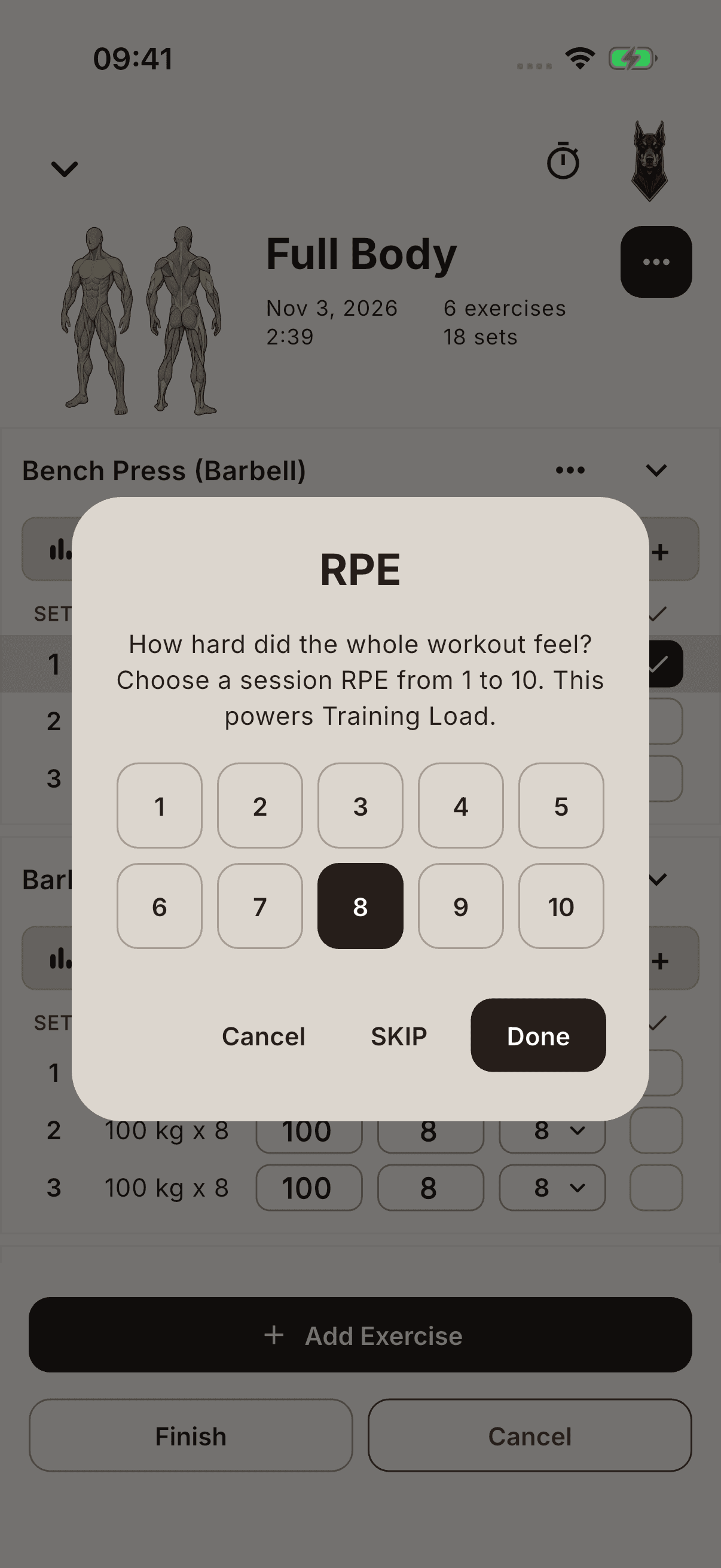
- Tap Finish at the bottom. If valid sets remain unticked, complete only those you actually performed or discard the remaining sets.
- In the RPE window, choose the difficulty of the whole workout from 1–10 and tap Done. Use SKIP to save without a value.
- Close the sharing screen shown after saving with Done. Open History from the calendar icon and check the record.
Note Tapping Cancel in the RPE window or closing it does not finish the workout. You return to the active workout; tap Finish again to save it.
You can create an exercise missing from the list with New Exercise in the Exercises section.